
“I should text them.” That was three weeks ago.

You think of them on the bus or mid-meeting. By the time your hands are free, the thought has gone. Not because you don’t care.

Caring and remembering are two different jobs.

Sound familiar?

The thought comes at the wrong time.

  1. Sunday, 21:40 · On the sofa

    Anna

    “When did we last actually talk? It can’t have been a month.”

  2. Two minutes into the call

    Anna

    “They told me big news last time. What was it?”

  3. Monday, 08:10 · On the bus

    Anna

    “Wasn’t her interview this week?”

  4. Wednesday, 12:30 · Lunch queue

    Anna

    “Wait. Is her birthday this week?”

  5. Friday, after work

    Mum

    “I’ll call Mum this weekend.”

    I said that last weekend, too.

You care. You just can’t keep all of it in your head.

The usual fixes don’t remember for you.

What’s missing is a gentle memory: who’s due, what’s coming up, and what you meant to ask.

Meet InTouch. A little help remembering.

InTouch is a friend reminder for iPhone. Choose who you’d like to hear from more often, and how often feels right for each. It keeps track of the rest. The conversation is yours.

Today
Who’s due, your plans, their moments and the dates coming up.
People
Everyone you keep in touch with, one search away, filtered by Due or On track.
Plans
Your plans, follow-ups and important dates, day by day.
History
Every call, text and meetup you log, newest first.

Settings and Archived people sit at the top of every tab.

Sunday, 21:40“When did we last actually talk?”

Know when it’s time to reach out.

Pick a rhythm for each person. When someone is due, Today stacks them like postcards, the longest wait in front. Log a hello right from the card, plan it for a day that suits you, or tap Not now when today isn’t the day.

Try the stack

4 due
  1. Anna, Due today , Last talked a month ago
  2. Tomek, Due today , Last talked 2 weeks ago
  3. Kasia, Due today , Last talked 3 weeks ago
  4. Zofia, Due today , No interactions yet

  • Weekly, every two weeks, monthly, every three months, every six months, or a rhythm of your own
  • Not now waits until a day you choose. Their rhythm stays as it is.
  • At most two notifications a day, across everyone

InTouch reminds you. The conversation is yours.

Screen: InTouch Today: Anna and Tomek are due, stacked like postcards with Anna on top, with Log, Plan it and Not now; Anna’s job interview is tomorrow, with Wish luck; coming up, Tomek’s birthday in 16 days.
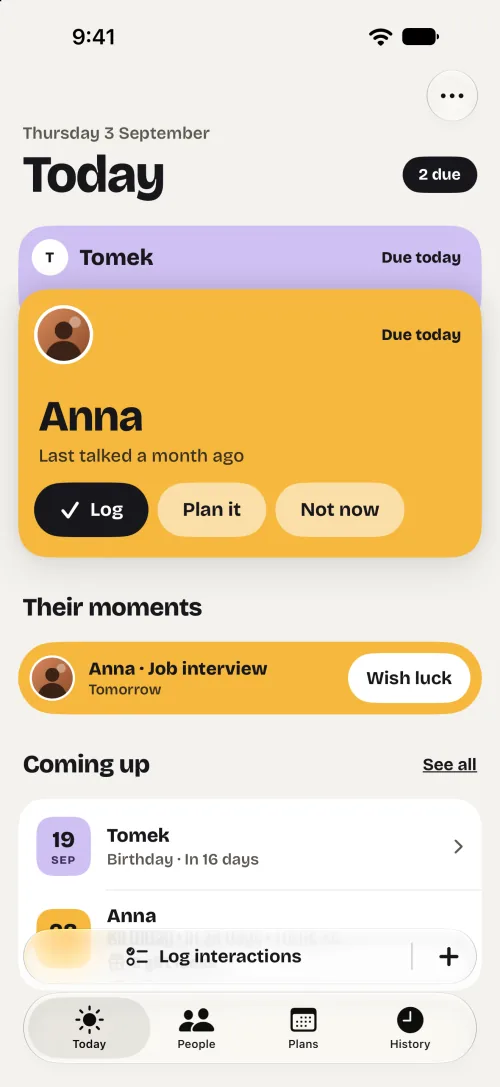
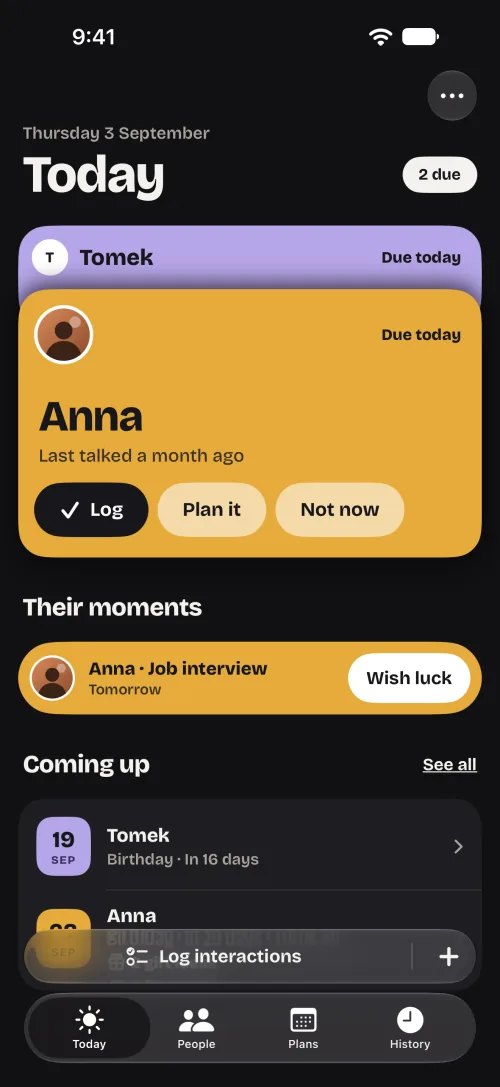
InTouch Today: Anna and Tomek are due, stacked like postcards with Anna on top, with Log, Plan it and Not now; Anna’s job interview is tomorrow, with Wish luck; coming up, Tomek’s birthday in 16 days.InTouch Today: Anna and Tomek are due, stacked like postcards with Anna on top, with Log, Plan it and Not now; Anna’s job interview is tomorrow, with Wish luck; coming up, Tomek’s birthday in 16 days.

Thursday, 17:50“We should all get pizza soon.”

Plan the next call. See what’s ahead.

Tap Plan it on Today or on someone’s page. Pick a day, then text, call or in person, with a time and a note if you like. Plans opens on Agenda: your plans, who’s due, follow-ups, dates and moments, day by day.

  • One plan can include several people, and one Done logs it for each
  • Done, It happened, Edit or Let it go. A missed plan never counts as overdue
  • Show plans in Apple Calendar if you like, kept in sync both ways

On the day, your morning reminder leads with the plan. Still at most two notifications a day.

Screen: InTouch Plans, Agenda. Today, Thursday 3 September: Anna and Tomek are due, each with Plan it. Tomorrow: a call with Mum at 18:00, pizza with Kasia, Marek and Zofia at 19:00, and Anna’s job interview. Then Monday 7 September, in 4 days.
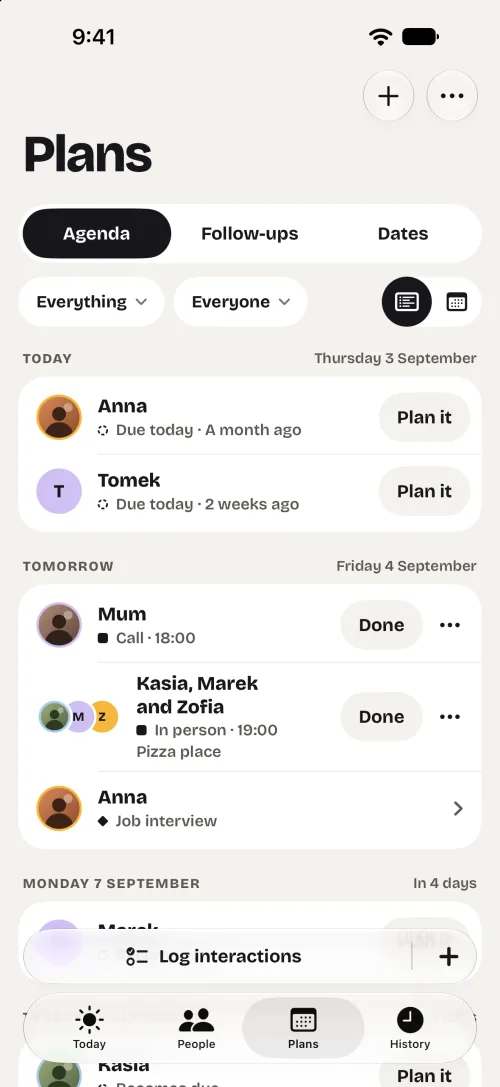
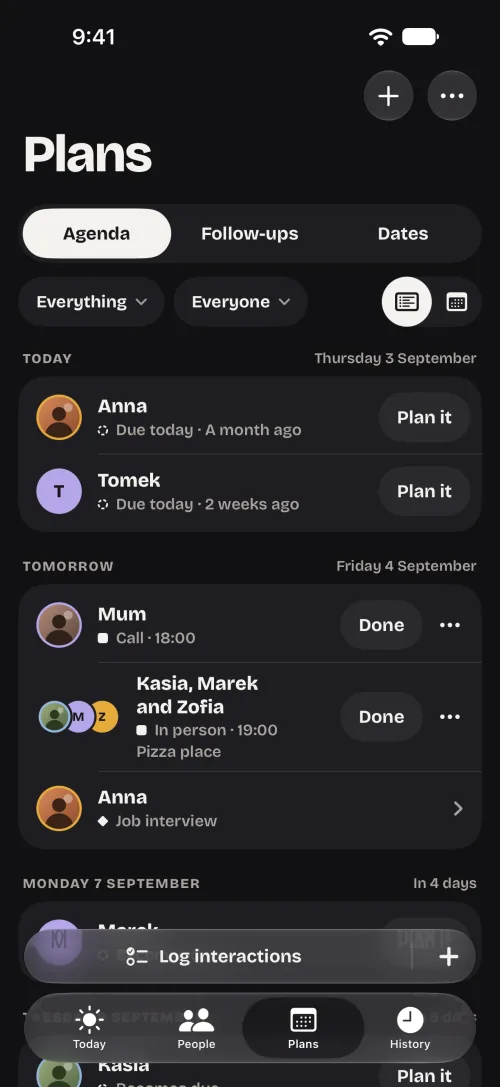
InTouch Plans, Agenda. Today, Thursday 3 September: Anna and Tomek are due, each with Plan it. Tomorrow: a call with Mum at 18:00, pizza with Kasia, Marek and Zofia at 19:00, and Anna’s job interview. Then Monday 7 September, in 4 days.InTouch Plans, Agenda. Today, Thursday 3 September: Anna and Tomek are due, each with Plan it. Tomorrow: a call with Mum at 18:00, pizza with Kasia, Marek and Zofia at 19:00, and Anna’s job interview. Then Monday 7 September, in 4 days.

Two minutes into the call“What was the big news?”

Pick up where you left off.

Open their page before you call. Before you talk brings together last time, what to ask, what to remember and what’s coming up, so the conversation picks up the thread.

  • Last time: how you talked, and the note you wrote
  • What to ask: their moments and your follow-ups
  • What to remember, what’s coming up, and a question to try in the full brief

Built only from what you saved. It isn’t AI, and InTouch never writes messages for you.

Screen: Anna’s page with Before you talk: last time a call on 3 August, ask about her job interview tomorrow and the flat hunt, remember her sister Ola lives in Lisbon and that she prefers decaf, birthday in 25 days with 2 gift ideas.
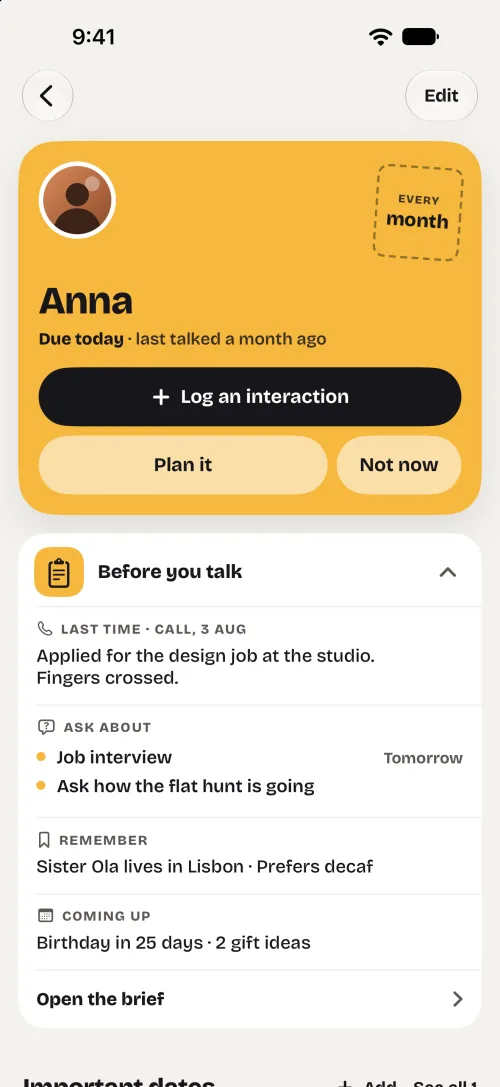
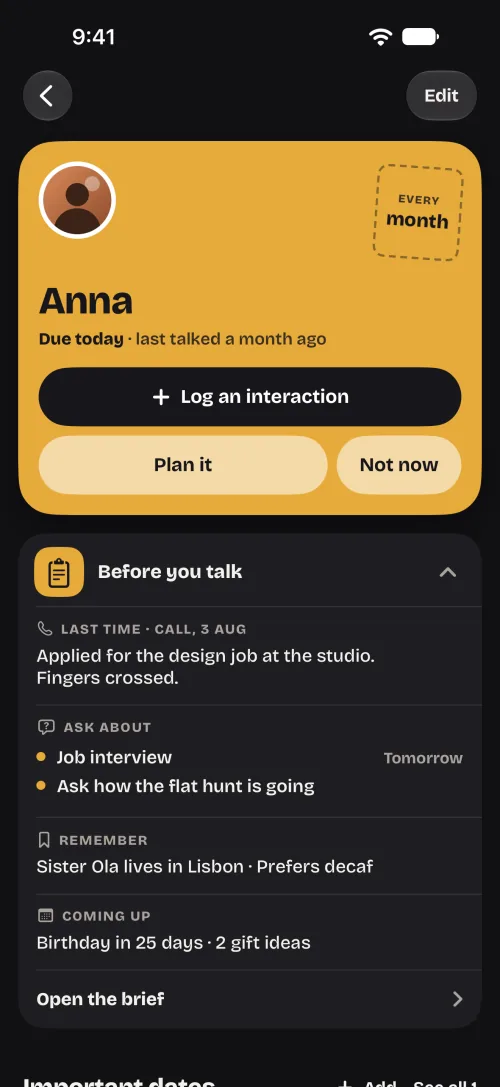
Anna’s page with Before you talk: last time a call on 3 August, ask about her job interview tomorrow and the flat hunt, remember her sister Ola lives in Lisbon and that she prefers decaf, birthday in 25 days with 2 gift ideas.Anna’s page with Before you talk: last time a call on 3 August, ask about her job interview tomorrow and the flat hunt, remember her sister Ola lives in Lisbon and that she prefers decaf, birthday in 25 days with 2 gift ideas.

Monday, 08:10“Wasn’t her interview this week?”

Wish them luck. Ask how it went.

Add what’s happening in their life: an interview, a move, a surgery. Your morning reminder tells you to wish them luck the day before, and to ask how it went the day after.

  • A reminder the day before and one the day after, each with its own switch
  • Moments from yesterday to tomorrow wait on Today, with Wish luck, How it went or Check in
  • Note how it went when you log the conversation: good news, not great, or still waiting

Notifications never name the moment. Mark one as sensitive, and the lock screen only says it’s a good day to check in.

Screen: Add a moment for Anna: a job interview on Friday 4 September, tomorrow, with reminders to wish her luck the day before and ask how it went after, a Sensitive switch, and the lock-screen line it will show: Something’s coming up for Anna tomorrow.
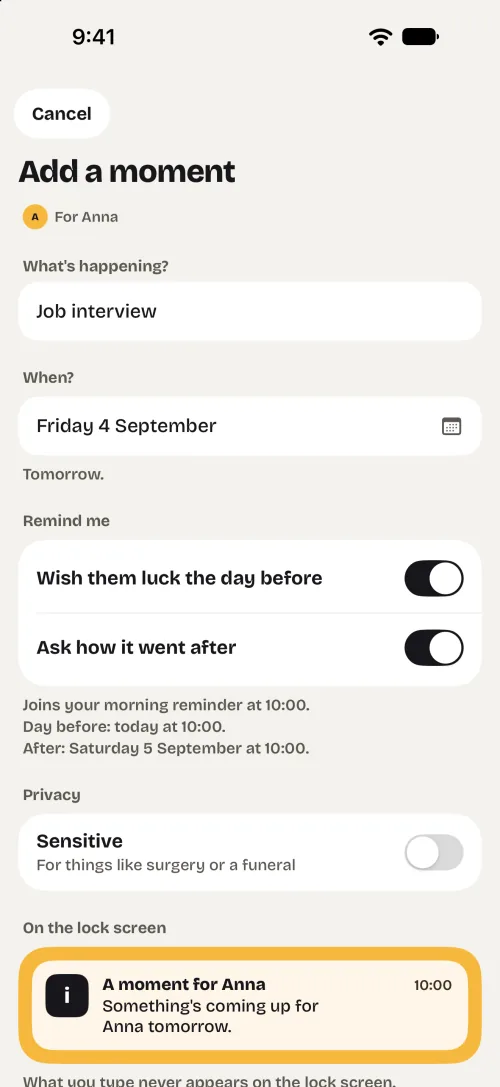
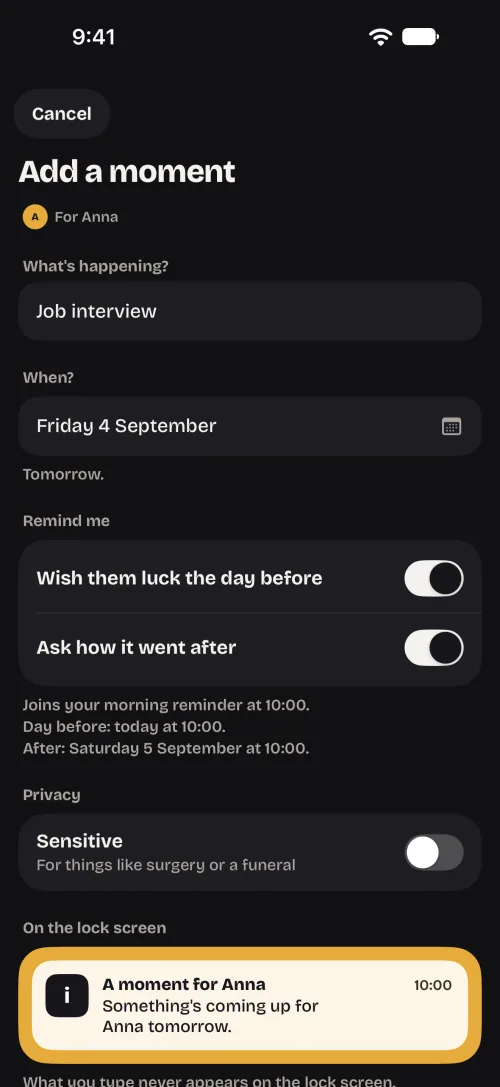
Add a moment for Anna: a job interview on Friday 4 September, tomorrow, with reminders to wish her luck the day before and ask how it went after, a Sensitive switch, and the lock-screen line it will show: Something’s coming up for Anna tomorrow.Add a moment for Anna: a job interview on Friday 4 September, tomorrow, with reminders to wish her luck the day before and ask how it went after, a Sensitive switch, and the lock-screen line it will show: Something’s coming up for Anna tomorrow.

Wednesday, 12:30“Is her birthday this week?”

Save gift ideas for their birthday.

She mentioned a ceramics class? Save it while you remember, and link it to her birthday or another date. Move it from Idea to Bought to Given, and next time you’ll see what you gave last year.

  • A note and a link with each idea, if you like
  • Birthdays and other dates in Plans, with optional reminders a week before and on the day
  • The week-before reminder tells you ideas are saved

Gift names never appear in notifications. InTouch doesn’t suggest or buy gifts. The ideas are yours.

Screen: Anna’s gift ideas: a ceramics class voucher and good decaf beans as ideas, a bought Lisbon travel guide for her birthday on 28 September, and what she was given in 2025 and 2024.
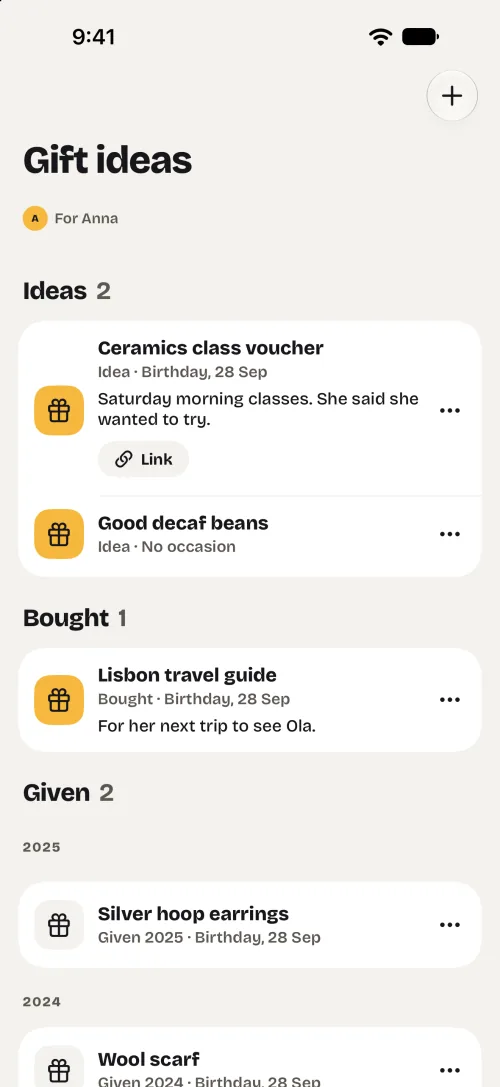
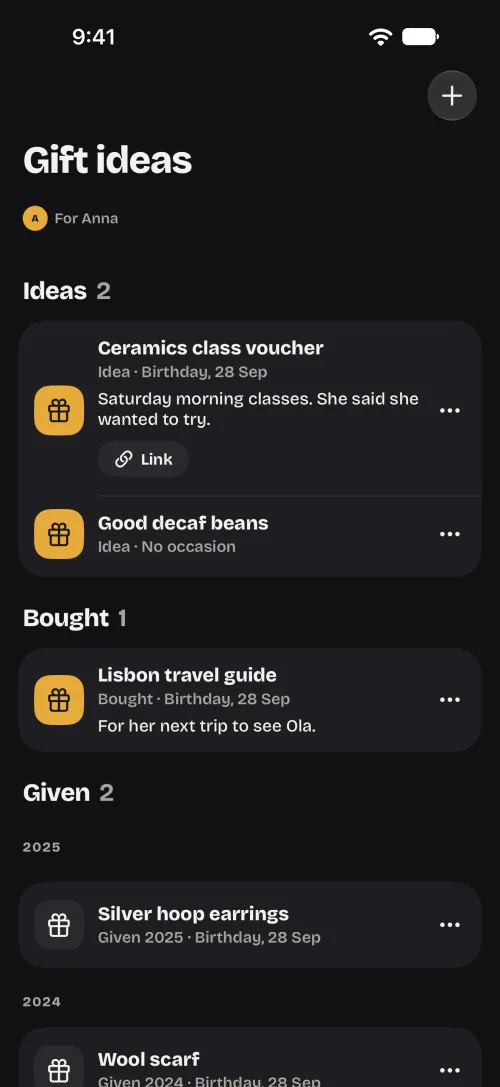
Anna’s gift ideas: a ceramics class voucher and good decaf beans as ideas, a bought Lisbon travel guide for her birthday on 28 September, and what she was given in 2025 and 2024.Anna’s gift ideas: a ceramics class voucher and good decaf beans as ideas, a bought Lisbon travel guide for her birthday on 28 September, and what she was given in 2025 and 2024.

Friday, after work“I’ll call Mum this weekend.”

Talked today? Log it in seconds.

Log from the card on Today, or open Log interactions: pick everyone you talked to, choose text, call or in person, and add a note if you like.

  • Several people in one go, on the day you choose
  • An evening check-in opens this same screen
  • A shortcut opens the log form, already filled in

Nothing is saved until you tap Save, even from Shortcuts.

Screen: Log interactions for 3 September: a call with Anna selected, with the note “Wished her luck for tomorrow.”; Tomek and Marek below with Text, Call and In person; a Save 1 interaction button at the bottom.
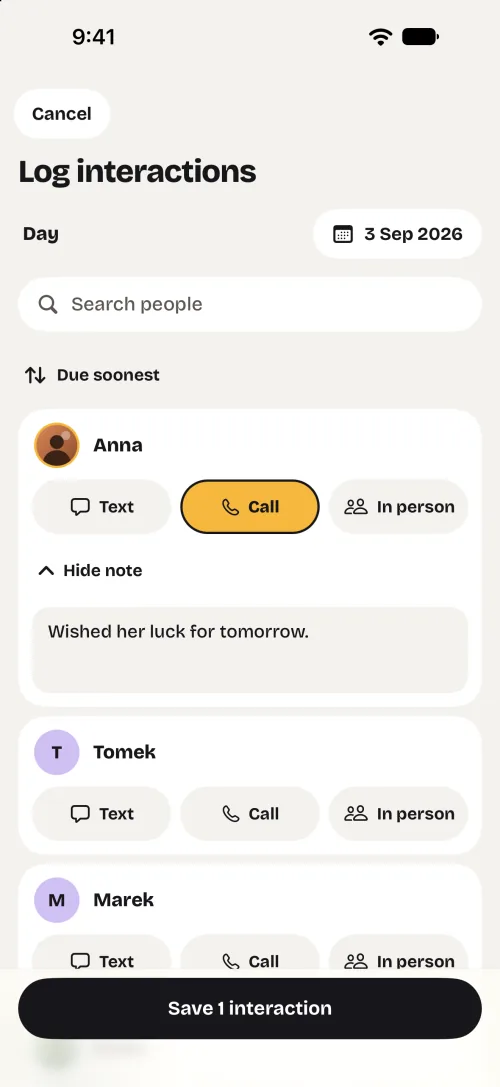
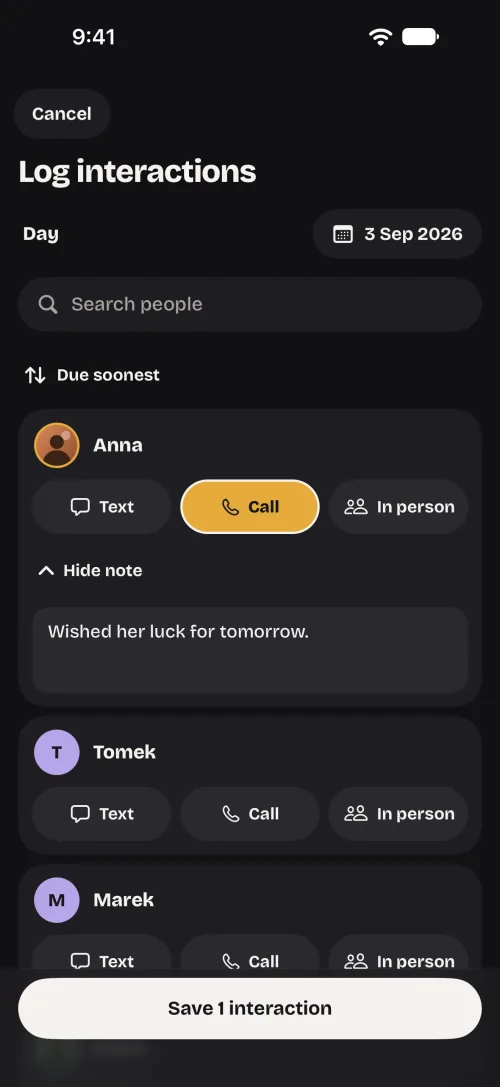
Log interactions for 3 September: a call with Anna selected, with the note “Wished her luck for tomorrow.”; Tomek and Marek below with Text, Call and In person; a Save 1 interaction button at the bottom.Log interactions for 3 September: a call with Anna selected, with the note “Wished her luck for tomorrow.”; Tomek and Marek below with Text, Call and In person; a Save 1 interaction button at the bottom.

Sunday, 21:41“It can’t have been a month.”

Every hello has a place.

Everything you log lands in History, grouped by day, newest first. Search by a name or by something you wrote. It has its own tab.

  • Grouped by day, newest first
  • Search names and notes
  • Filter by text, call or in person

History holds only what you log. InTouch doesn’t read your messages or track your calls.

Screen: InTouch History with a search field and an All kinds filter. Today: a call with Anna, “Wished her luck for tomorrow.” Yesterday: a call with Mum, “Garden update.” 31 August: a text with Marek. 29 August: Sunday lunch in person with Mum.
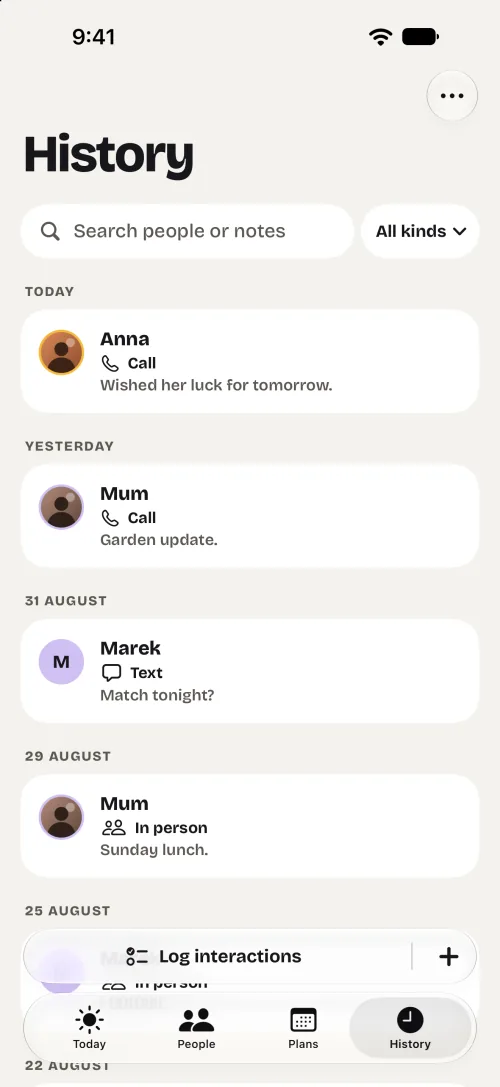
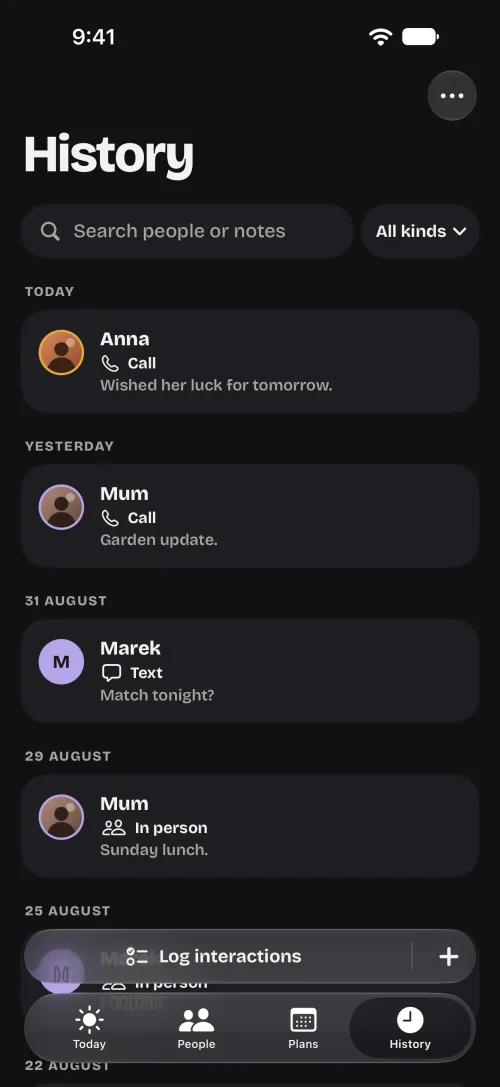
InTouch History with a search field and an All kinds filter. Today: a call with Anna, “Wished her luck for tomorrow.” Yesterday: a call with Mum, “Garden update.” 31 August: a text with Marek. 29 August: Sunday lunch in person with Mum.InTouch History with a search field and an All kinds filter. Today: a call with Anna, “Wished her luck for tomorrow.” Yesterday: a call with Mum, “Garden update.” 31 August: a text with Marek. 29 August: Sunday lunch in person with Mum.

Your people aren’t an audience.

Read the privacy policy
Will it nag me?
No. At most two notifications a day, across everyone: one in the morning, and an evening check-in. Miss someone, and you get one quiet notice the next day, then no more nudges to reach out until you log a hello. Dates and follow-ups you saved still remind you.
Does it read my messages?
No. InTouch only knows what you log yourself. It doesn’t read messages, listen to calls or track them, and Before you talk is built from what you saved, not by AI.
Where do my people live?
On your iPhone. There’s no account and there are no ads. Only anonymous usage statistics and the purchase details a membership needs are sent. Export a backup any time.
Will it turn friendship into a chore?
No streaks, points or scores. Pick a rhythm for each person and change it whenever it stops fitting. Busy week? Not now moves someone to a day you choose.

Already have it? It’s yours. New? Set up first, then choose.

If you downloaded InTouch before it became paid, nothing changes for you: you keep everything, including every feature added later. If you’re new, add your people and choose a rhythm first, then start a membership. Every option includes everything.

Membership

  • YearlyStarts with a 2-week free trial
  • MonthlyRenews until you cancel
  • LifetimePay once. Nothing renews.
  • Every option includes everything
  • No ads, no account to create
  • iPhone with iOS 26 or later
Get InTouch on the App Store

Prices are shown in the App Store. Subscriptions renew until you cancel them in your Apple Account settings. If a membership ends, reminders pause; your people stay on your iPhone, and you can still export a backup.

Turn “I should text them” into “I did.”

Start with one person you’ve been meaning to call.

Get InTouch

iPhone with iOS 26 or later